 Appearance - Step 5
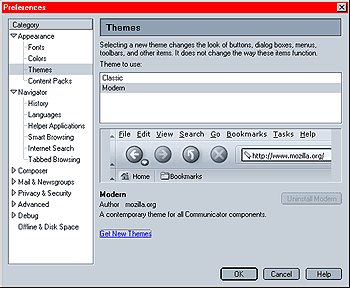
The main advantage of selecting themes in this menu is the preview function. Select a theme and you will be able to see what Mozilla will look like using this theme.
You can get new themes by clicking on "Get New Themes". Doing so will open a new browser window and take you to Mozilla's themes page which contains links to websites with Mozilla themes.
If you wish to uninstall a theme, simply select the theme you wish to remove and click on the uninstall button.
Note: This option is not available for themes that came preinstalled with Mozilla!
 |
Back |
|
Next |

|